Guides
Cold email infrastructure: how many domains and mailboxes you need
Vendor guidance implies 20 to 100 mailboxes on 2 to 17 domains per 1,000 cold emails a day. Gmail and Yahoo require spam complaint rates below 0.3%.
The short answer
No mailbox provider publishes a domain or mailbox count for cold email. Vendor guidance ranges from 10 to 50 cold emails per mailbox per day, which works out to 20 to 100 mailboxes on roughly 2 to 17 domains for every 1,000 emails a day. The rules that are published are authentication (SPF, DKIM, DMARC) and complaint rates: Gmail asks for below 0.1% and never 0.3% or higher, and Yahoo requires below 0.3%.
No mailbox provider publishes a number of domains or mailboxes for cold email. The counts people quote come from vendors, and they range from 10 to 50 cold emails per mailbox per day, which means 20 to 100 mailboxes on roughly 2 to 17 domains for every 1,000 emails you send daily.
What Google, Yahoo and Microsoft do publish is how mail must be authenticated, how many complaints are tolerated, and how much one account may send. This article separates those rules from the conventions and shows what the result costs.
One point first. Nothing here is a way around provider rules. Gmail's guidelines say "Don't send messages to people who didn't sign up to get messages from you", and the Google Workspace Acceptable Use Policy (last modified 13 October 2025) prohibits using the service "to generate, distribute, publish or facilitate unsolicited mass email". Any outreach programme has to live inside those terms.
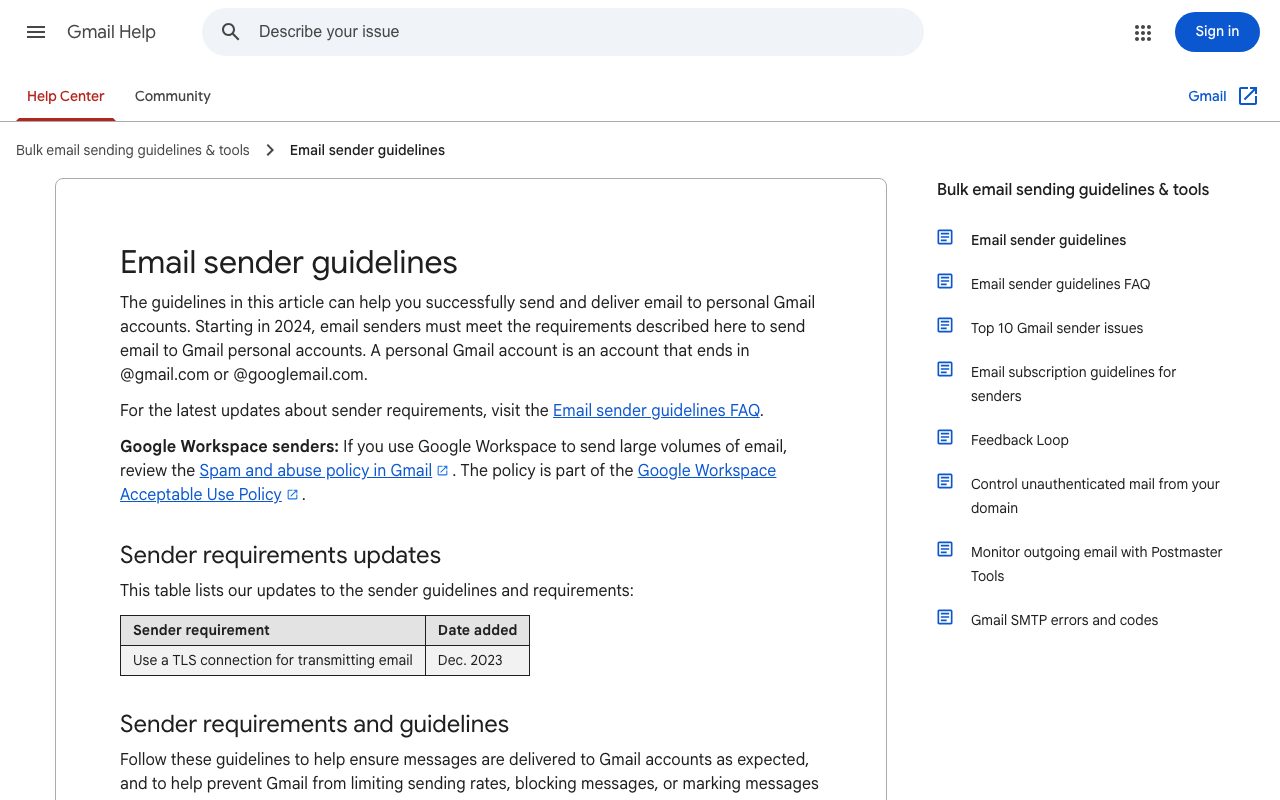
Google publishes the requirements senders must meet to deliver to personal Gmail accounts. Screenshot of support.google.com, taken on 7 October 2026.
What the providers actually require
Google, Yahoo and Microsoft all require authenticated mail, and Gmail and Yahoo both set the complaint ceiling at 0.3%. The details differ by provider.
| Provider | Applies to | Authentication | Complaint threshold | Source |
|---|---|---|---|---|
| Gmail | All senders to personal Gmail accounts | SPF or DKIM, TLS | Below 0.3% in Postmaster Tools | Google sender guidelines |
| Gmail | Bulk senders: close to 5,000 messages or more in 24 hours | SPF and DKIM and DMARC, with the From domain aligned to one of them; one-click unsubscribe on marketing mail | Keep below 0.1%, never reach 0.3% or higher | Google sender FAQ |
| Yahoo | All senders | SPF or DKIM at a minimum | Below 0.3% | Yahoo Sender Hub |
| Yahoo | Bulk senders | SPF and DKIM, a valid DMARC policy, one-click unsubscribe honoured within 2 days | Below 0.3% | Yahoo Sender Hub |
| Outlook.com | Domains sending over 5,000 emails per day, from 5 May 2025 | SPF, DKIM and DMARC | No number published | Outlook.com Postmaster |
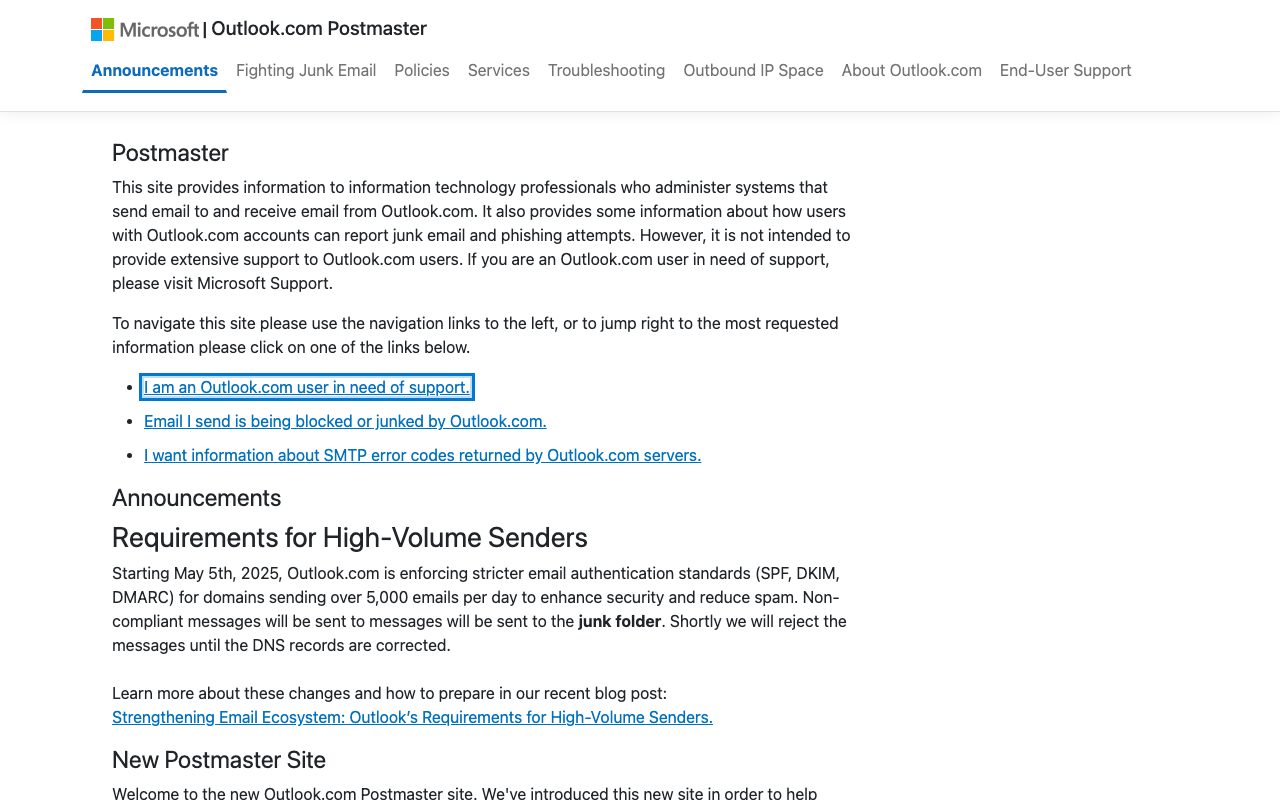
Microsoft announced stricter authentication requirements for high-volume senders to Outlook.com. Screenshot of substrate.office.com, taken on 7 October 2026.
For the full rule-by-rule compliance check - which of these rules a tool can actually verify, and which three (live complaint rate, content scoring, list hygiene) no tool can - see what Google and Yahoo require from bulk senders, and how to prove you meet it.
Four details in those pages matter more than the headline numbers.
- The Gmail complaint rule has two levels. Google's FAQ says senders should keep the spam rate below 0.1% and prevent it from ever reaching 0.3% or higher. A sender at 0.3% or above is not eligible for mitigation until the rate stays below 0.3% for seven consecutive days. Since November 2025, Gmail has been "ramping up its enforcement on non-compliant traffic" with temporary and permanent rejections.
- Yahoo measures against inbox mail. "Spam rate is calculated in our system based on mail delivered to the inbox", so mail already going to spam does not dilute the rate.
- The Gmail rules cover personal accounts. Google states that the guidelines do not apply to messages sent to Google Workspace accounts. Most business-to-business outreach lands in Workspace or Microsoft 365 mailboxes, where no numeric threshold is published. That is a lack of published numbers, not a lack of filtering.
- Microsoft's wording is still junk first. The Outlook.com Postmaster page says non-compliant messages go to the junk folder and that "Shortly we will reject the messages until the DNS records are corrected". A Microsoft-published complaint percentage: not found.
As plain arithmetic, on 1,000 messages delivered to Gmail inboxes, 0.1% is one spam report and 0.3% is three.
What one mailbox is allowed to send
The platform ceilings are far above anything a cold email vendor recommends, and they exist to stop bulk mail, not to enable it. They are the hard limits a licence comes with.
| Limit | Google Workspace | Exchange Online (Microsoft 365) |
|---|---|---|
| Per mailbox per day | 2,000 messages, 3,000 external recipients | 10,000 recipients, 30 messages per minute |
| New or trial tenant | 500 messages a day for trial accounts; limits rise after the domain has paid $100 in total, which can take up to 75 days | Trial tenants capped at 5,000 external recipients per day across the tenant |
| Tenant-wide cap | Not stated on the page | Tenant External Recipient Rate Limit, which depends on the number of licences |
| Default domain | Not applicable | Mail from onmicrosoft.com domains limited to 100 external recipients per organisation per 24 hours |
| Source | Gmail sending limits | Exchange Online limits (updated 9 September 2026) |
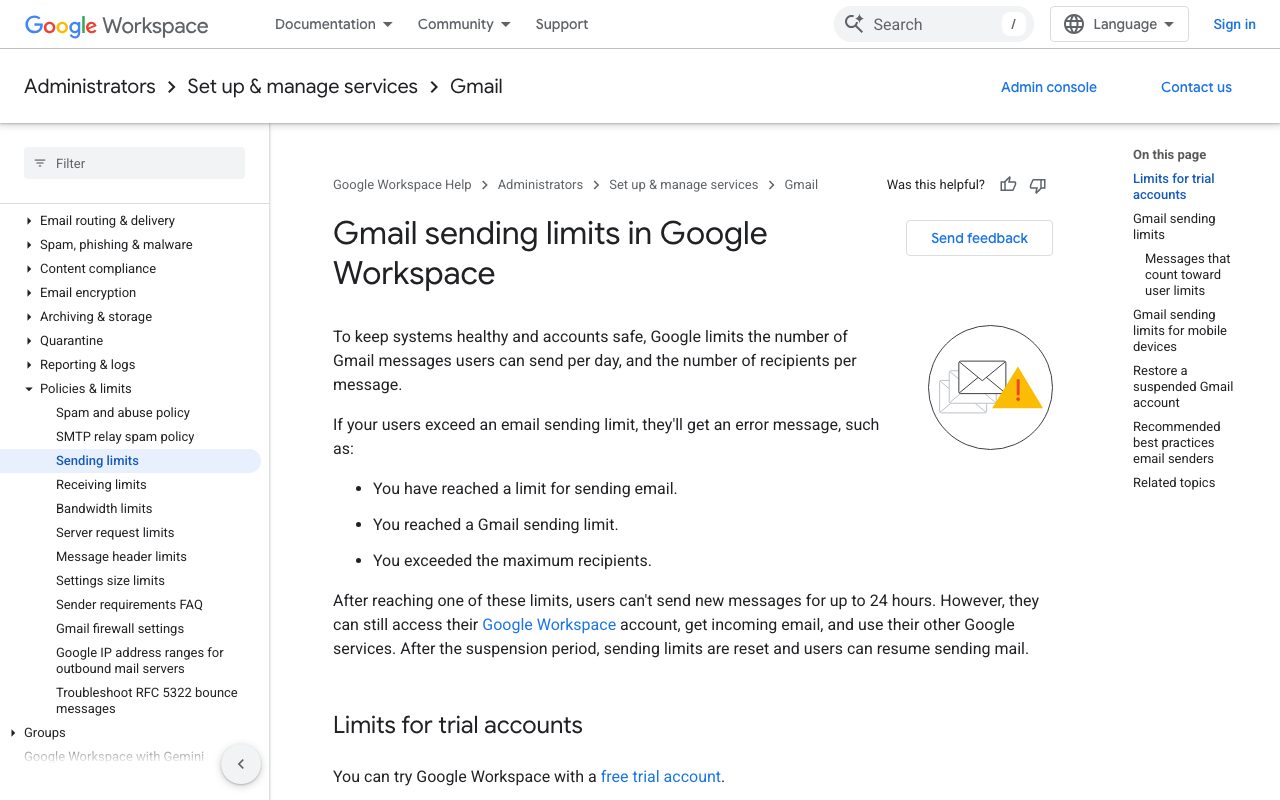
Google limits how many messages a Workspace user can send per day. Screenshot of knowledge.workspace.google.com, taken on 7 October 2026.
Microsoft is explicit about intent. The recipient limit exists "to discourage the delivery of unsolicited bulk messages", and the same page tells customers with legitimate bulk commercial email to use providers that specialise in it. A Google user who exceeds a limit cannot send new messages for up to 24 hours.
How many mailboxes and domains the vendor guidance implies
For 1,000 cold emails a day, published vendor guidance implies anywhere from 20 to 100 mailboxes. The spread is a factor of five because the vendors disagree on the per-mailbox number, and none of these figures comes from Google or Microsoft.
| Vendor guidance | Cold emails per mailbox per day | Mailboxes per domain | Mailboxes for 1,000 a day | Domains for 1,000 a day |
|---|---|---|---|---|
| Smartlead blog (25 September 2026) | 50 or fewer | Not stated; keep a domain under about 500 a day | 20 | At least 2 |
| Mailforge | 30 (max 100) | 2 to 3 | 34 | 12 to 17 |
| Maildoso, SMTP mailboxes | 15, including follow-ups | 4 to 8 | 67 | 9 to 17 |
| Maildoso, Google Workspace mailboxes | 10, including follow-ups | Not stated | 100 | Not stated |
The last two columns are our arithmetic from each vendor's own numbers, rounded up. To size a different volume, divide your daily sends by the per-mailbox figure, then divide the mailbox count by the mailboxes per domain.
Two cautions about this table.
First, follow-ups count. Maildoso states its cap includes follow-ups, so a three-step sequence reaches about a third as many new people per mailbox as the headline number suggests.
Second, these are operating conventions from companies that sell mailboxes or sending software, with no published evidence behind them. Treat them as a starting range.
What spreading volume does and does not do
Spreading volume across domains limits how much damage one bad campaign does, and it does not exempt anyone from the sender rules.
Gmail counts the bulk threshold per primary domain, with subdomains counted together, and bulk sender status is permanent once assigned. A domain that stays under 5,000 messages a day to personal Gmail accounts is not a bulk sender by that definition. But the requirements for all senders still apply at any volume: SPF or DKIM, and a spam rate below 0.3%. Yahoo words its all-sender rules the same way.
So more domains do not buy more tolerance for complaints. Each domain has its own rate, and a small domain reaches 0.3% with very few reports.
The acceptable-use terms also sit above the arithmetic. Yahoo asks senders to verify they only send mail to users who specifically requested it, and Google's policy bans unsolicited mass email on Workspace whatever the daily count.
In the United States the law adds its own floor. The FTC says CAN-SPAM "makes no exception for business-to-business email", opt-outs must be honoured within 10 business days, and each email in violation is subject to penalties of up to $53,088. Check the law where your recipients are.
The legitimate reasons to run several domains are separation and containment: keeping outreach off the domain your invoices and password resets come from, and keeping one client's reputation apart from another's.
What vendors charge per mailbox
List prices in October 2026 run from $0.49 to $4 per mailbox per month, and the type of mailbox explains most of the gap. Vendor-run SMTP mailboxes are cheapest; real Google Workspace and Microsoft 365 mailboxes cluster between $2.50 and $3.50.
| Vendor | Mailbox type | List price per mailbox per month | Domains | Best at |
|---|---|---|---|---|
| Maildoso | Vendor-run SMTP | $2.50 at 30, $0.75 at 300, $0.49 at 1,000, billed monthly | Extra on monthly plans: $12 a year, with a notice of $15 a year from 1 October 2026 | Lowest list price per mailbox in this table at volume |
| Mailforge | Shared IP pool | $3 on monthly billing, minimum 10 slots | $14 a year for .com | Simple slot pricing with a built-in calculator |
| Infraforge | Dedicated IP | $4 on quarterly billing, plus $99 per dedicated IP per month | $14 a year for .com | Dedicated IPs, with API access included |
| InboxKit | Google Workspace and Microsoft 365 | $3.00 monthly, $2.50 annual | Not stated on the pricing page | No minimum, same per-mailbox price for both suites, API and webhooks |
| Zapmail | Google Workspace plans shown; Microsoft 365 also offered | Plans from $39 a month for 10 mailboxes; extras $3.00 to $3.50 | Not stated on the page | Small starting bundles; API on the Pro plan |
| Premium Inboxes | Google Workspace and Microsoft 365 | $3.50 up to 249, $3.00 from 250, $2.80 from 1,250, per inbox | Not stated for these tiers | Volume tiers; its 48-hour refund guarantee does not cover these self-service tiers |
Prices are in US dollars as shown on each vendor's own page on 7 October 2026, except InboxKit and Premium Inboxes, re-checked on 11 October 2026. Billing periods differ: Mailforge and Infraforge show lower effective rates on yearly billing, Premium Inboxes does not print a billing period beside its per-inbox price, and InboxKit separately lists an Azure tenant option at $30 per tenant per month for up to 100 mailboxes. Read the billing terms too. Mailforge charges for capacity, not use: "If you purchase 10 slots but only create 5 mailboxes, you are still charged for all 10 slots". Premium Inboxes' guarantee that a month is refunded if infrastructure stops sending for more than 48 hours is stated only for its $7,500 a month managed Email Control Centre service, not the per-inbox tiers shown here.
A worked example from those list prices: 34 mailbox slots at Mailforge's $3 a month and 12 to 17 .com domains at $14 a year come to $102 a month plus $168 to $238 a year. That covers the mailboxes and names only. Sending software, warmup tools, list data and verification are separate costs.
Why this buyer needs domains and licences in bulk through an API
An agency or outreach platform buys this infrastructure once per client, so the counts multiply past what anyone wants to click through. Using the Mailforge convention above, ten clients each sending 1,000 emails a day need about 340 mailboxes on 120 to 170 domains.
Each unit carries repeated work, and each client has to be billed for exactly what was provisioned:
- Registration. Every domain has to be checked, bought and renewed on time. A lapsed domain takes its mailboxes down with it.
- Authentication. Every domain needs SPF, DKIM and DMARC records before it sends, because the bulk rules require all three and the all-sender rules require at least one. Our free email authentication report reads all three for a domain and says what to fix first.
- Licensing. Seats go up and down as clients start and stop campaigns, and a Microsoft tenant's external sending cap depends on its licence count.
- New-tenant limits. Google's 500 a day trial limit applies to each new trial account and has to be planned around.
That is why several vendors in the table expose an API: InboxKit includes one with every mailbox, Infraforge includes one with a subscription, and Zapmail offers one on its Pro plan. When orders are placed by a script, retries and status updates need care too; see idempotency keys and webhooks for reseller APIs.
If you plan to resell this infrastructure under your own name, we compare the two programmes in Google Workspace vs Microsoft 365 for resellers, and the registrar side in the domain reseller API comparison.
Where ResellerHQ fits, and where it does not
ResellerHQ is a white-label reseller API for domains, mailbox licences and phone numbers, and for cold email infrastructure it is not production-ready today. Here is exactly what exists.
The API can check up to 100 domain names in one call and register them one request each, and it can buy Google Workspace or Microsoft 365 seats for a domain, 1 to 300 seats per licence, with the seat count changed later. Purchases draw on one prepaid wallet and accept an idempotency key so a retry does not buy twice.
The limits are significant:
- Domains and mailbox licences run in the sandbox only. On the live side those routes answer
422 not_available, and sandbox orders are not registered or provisioned with anyone. - ResellerHQ sells licences, not mailboxes. It does not create mailboxes, warm them up or send mail, and the mailboxes stay with Google or Microsoft under their terms.
- DNS record management is not part of the API yet, so SPF, DKIM and DMARC cannot be set through it.
- Licence renewal is automatic, but seat changes are not pro-rated. A worker charges the wallet each month a licence's paid period ends and rolls it forward; added seats are billed a full month each at the licence's price, and removed seats are not refunded for the time left.
- There is no way to assign a seat to a named user. A licence carries a seat count, not a per-seat owner.
- There is no published price list, so it cannot be placed in the price table above.
If you need live mailboxes now, evaluate the vendors in that table. If you are building a reselling product and want to test the order flow in a sandbox first, the docs describe every endpoint and signup creates a sandbox account.
Questions
- Google Workspace allows 2,000 messages per user per day and Exchange Online allows 10,000 recipients per day, but those are platform ceilings, not cold email advice. Vendors that sell cold email mailboxes recommend far less: between 10 and 50 cold emails per mailbox per day, depending on the vendor.
- There is no provider rule. Mailforge recommends 2 to 3 mailboxes per domain and Maildoso recommends 4 to 8 for its own SMTP mailboxes, while Smartlead suggests keeping one domain under about 500 cold emails a day. These are vendor conventions, not Google or Microsoft limits.
- Gmail says to keep the spam rate reported in Postmaster Tools below 0.1% and to prevent it from ever reaching 0.3% or higher. Yahoo requires a spam rate below 0.3%. No numeric complaint threshold was found on a Microsoft page.
- No. Gmail counts the 5,000 messages a day bulk threshold per primary domain, but the authentication requirement and the 0.3% spam rate limit apply to every sender at any volume. Gmail also tells senders not to email people who did not sign up, and the Google Workspace Acceptable Use Policy prohibits unsolicited mass email.
- List prices in October 2026 run from $0.49 per mailbox per month for vendor-run SMTP mailboxes at 1,000 mailbox volume to $2.50 to $3.50 for Google Workspace or Microsoft 365 mailboxes, and $4 on dedicated IP setups. Where a vendor lists a domain price, it is $12 to $15 a year on top.
- Because the counts multiply. At 30 emails per mailbox, ten clients each sending 1,000 emails a day need about 340 mailboxes on 120 to 170 domains, and every one has to be registered, authenticated, licensed and renewed. That is repetitive work a script does more reliably than a person.
Sources
- Google: Email sender guidelines support.google.com
- Google: Email sender guidelines FAQ support.google.com
- Google: Gmail sending limits in Google Workspace knowledge.workspace.google.com
- Google: Google Workspace Acceptable Use Policy workspace.google.com
- Yahoo: Sender Hub best practices senders.yahooinc.com
- Microsoft: Outlook.com Postmaster substrate.office.com
- Microsoft Learn: Exchange Online limits learn.microsoft.com
- FTC: CAN-SPAM Act, a compliance guide for business ftc.gov
- Mailforge: Pricing mailforge.ai
- Infraforge: Pricing infraforge.ai
- Maildoso: Pricing maildoso.ai
- Maildoso: What's the daily email limit per email account? intercom.help
- Smartlead: How many cold emails per day smartlead.ai
- InboxKit: Pricing inboxkit.com
- Zapmail: Home page plans zapmail.ai
- Premium Inboxes: Pricing premiuminboxes.com